New · Chrome Extension

TasiPsych Copilot
one-click clinical notes in your EHR

The free Chrome extension for behavioral health clinicians. Capture sessions in the browser, generate a finalized clinical note with TasiPsych AI, and transfer it into your web-based EHR with a single click. No copy/paste, no per-EHR setup, no third-party processors.

Free with every TasiPsych account · HIPAA-compliant · 12-step setup guide →
Quick Session Capture Capture sessions with your EHR open on the same screen
1-Click Note Transfer To any web-based EHR with labeled note fields
Pre-Built & Custom Templates Align your TasiPsych template with your EHR template
HIPAA Compliant BAA included with every account
EHR Compatibility

Works with the EHR you already use

Tested across the most popular behavioral health EHRs, and built to work with essentially any web-based EHR that uses labeled note fields. Use pre-built templates or create your own custom template to align with your EHR template for a seamless transfer. No integrations to maintain, no per-EHR configuration, no IT involvement.

Why clinicians love it

Documentation, captured and delivered without leaving your browser

One-click note transfer

Send a finalized TasiPsych note directly into your web-based EHR with a single click. No copy/paste, no reformatting, no manual section reordering.

🎤

In-browser session capture

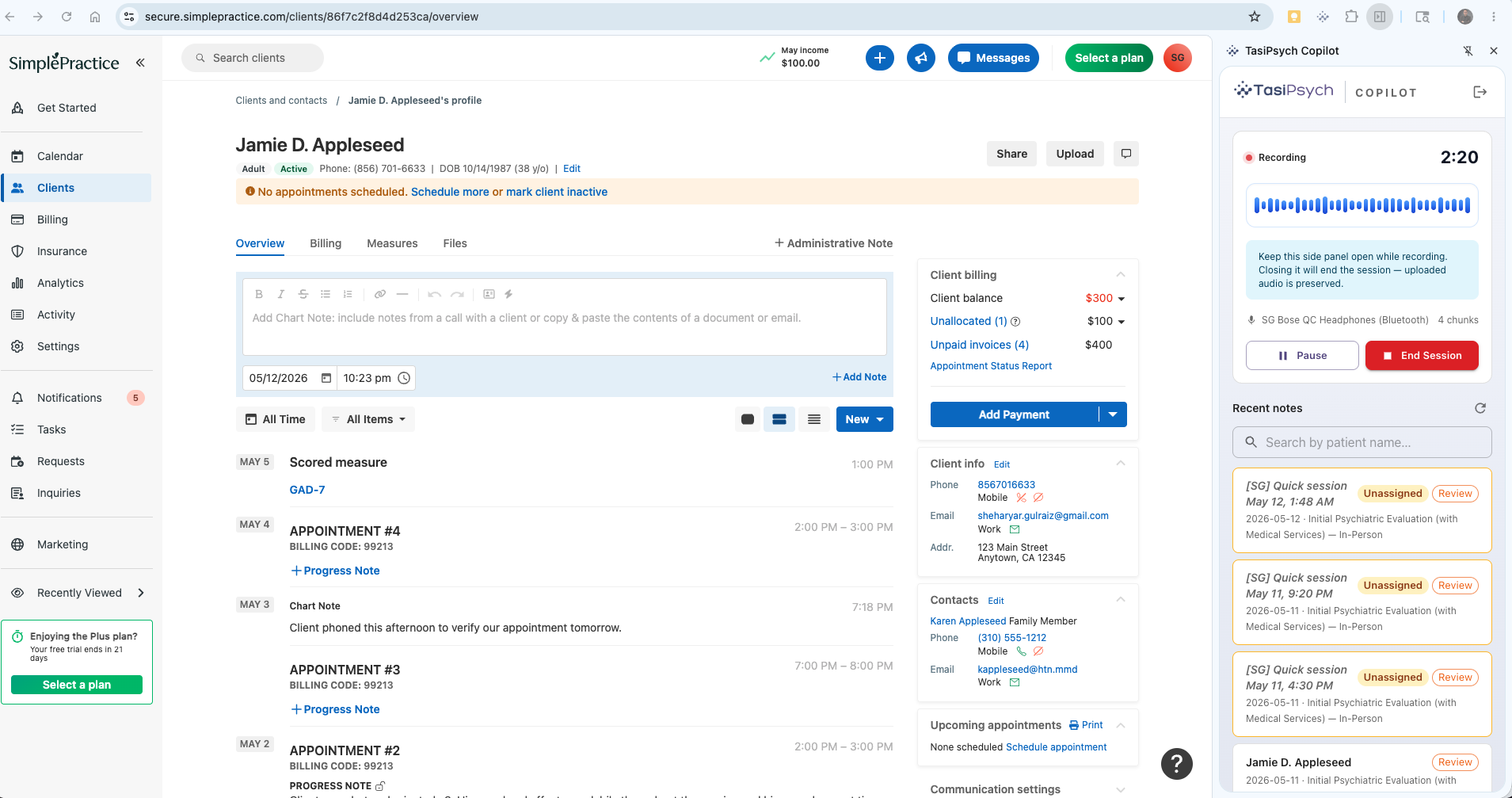
Start, record, and end sessions from the side panel without leaving your EHR. The Copilot transcribes, redacts PII, and drafts a structured note while you stay focused on your patient.

🧠

Auto field-matching

The Copilot reads the EHR page structure on screen and automatically routes each note section into the matching field. Works on essentially any web EHR with labeled note inputs.

👤

Smart patient assignment

Start a quick session without picking a patient, then let the Copilot identify the patient from your EHR after transfer. Existing TasiPsych patients are matched automatically; new patients are created for you.

🔒

Privacy-first by design

All extension activity (sign-in, session recording, upload, note transfer, patient match/create, and patient reassignment) is securely audit-logged on TasiPsych systems for HIPAA compliance.

📈

Audit & coding intelligence

Every note generated through the Copilot inherits TasiPsych’s 42+ audit rules and confidence-scored CPT, ICD-10-CM, and DSM-5-TR suggestions, so your transfers are accurate and defensible.

Side-panel capture

Start a session from anywhere in your browser

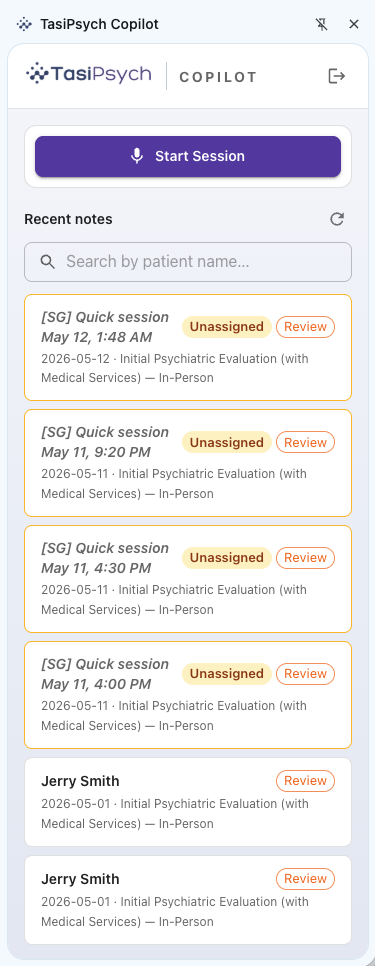
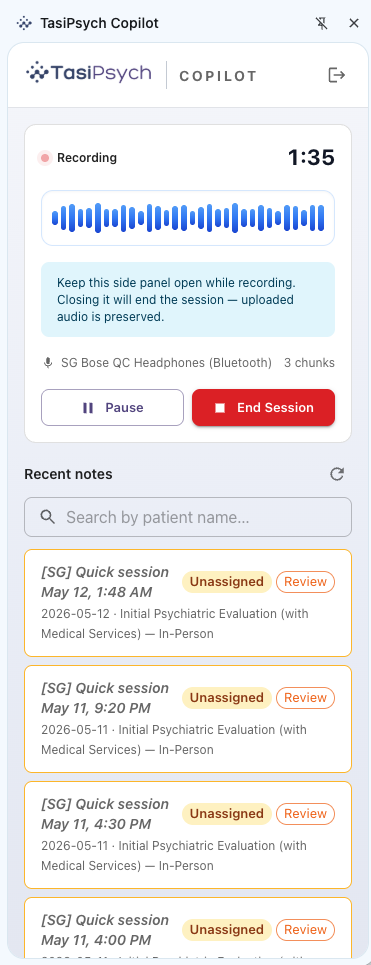
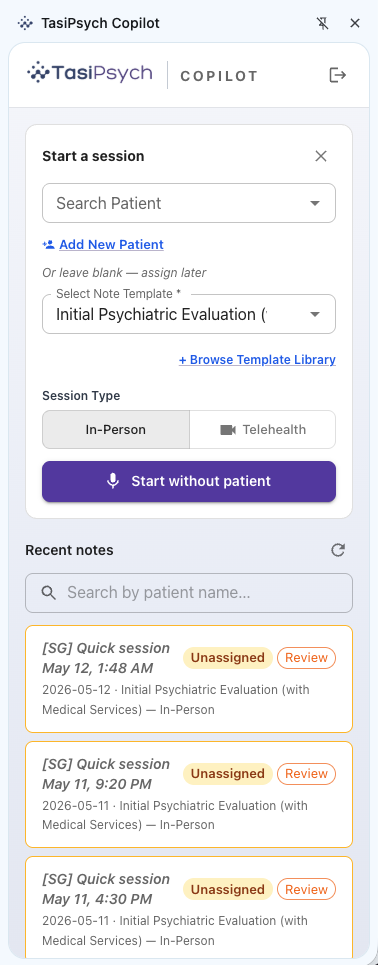
Open the Copilot side panel on top of your EHR, your telehealth platform, or any other tab. Click Start Session and the Copilot begins capturing audio while you work. No app switching, no separate recorder.

See it in the setup guide
TasiPsych Copilot side panel with the Start Session button highlighted alongside a list of recent notes
Flexible encounter start

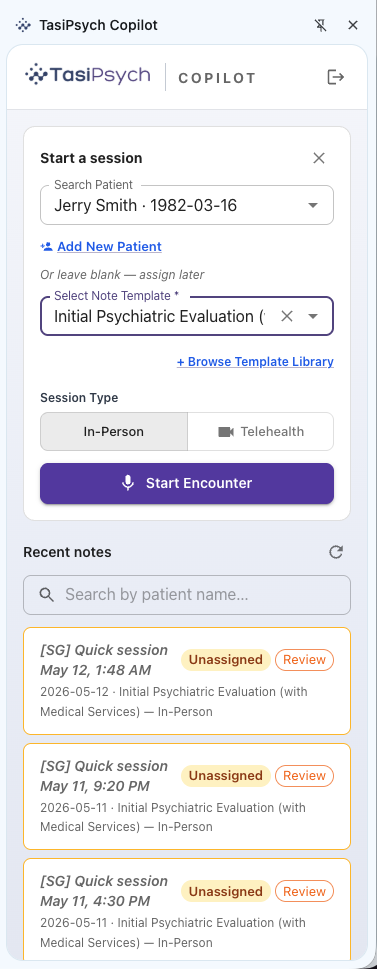
Two ways to start: planned session or quick start

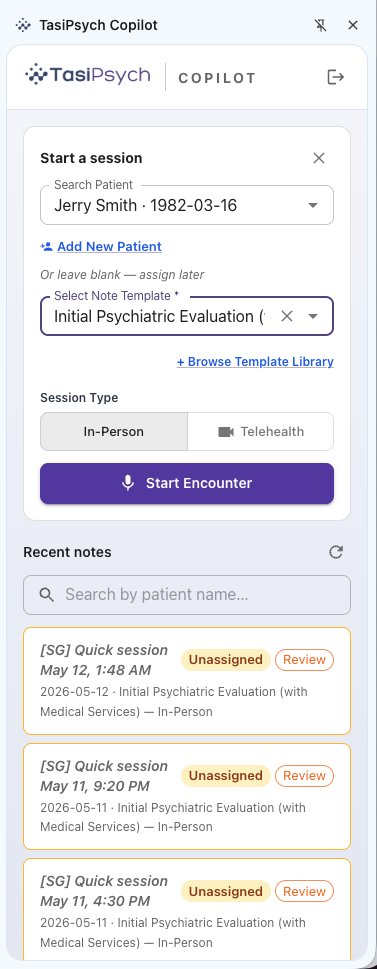
For scheduled visits, pick the patient and note template and click Start Encounter. For back-to-back visits, start a quick session in one tap and assign the patient later. The Copilot will even suggest the right patient based on the chart from your EHR screen.

See it in the setup guide
One-click transfer

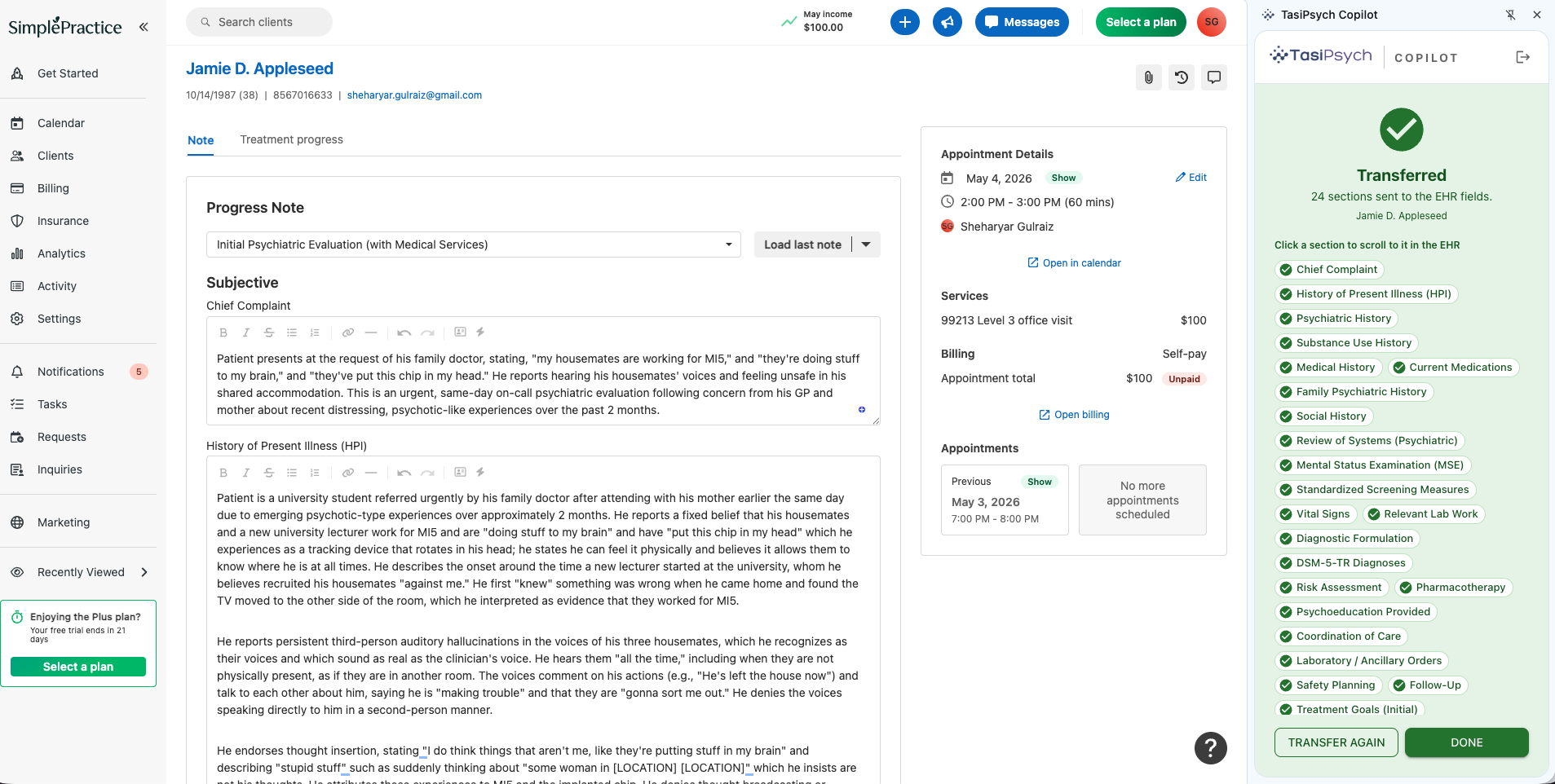
Finalized notes land in your EHR, every section in the right field

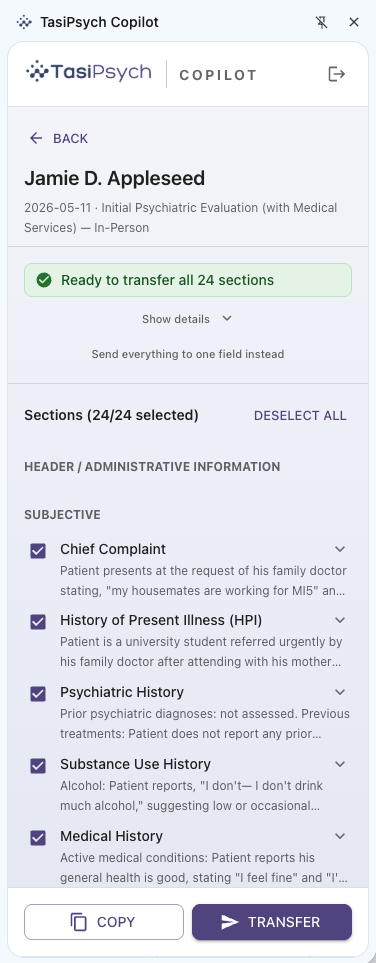
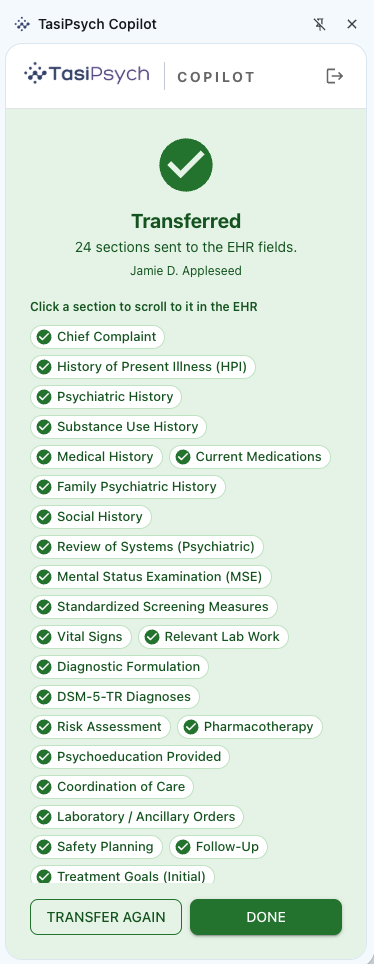
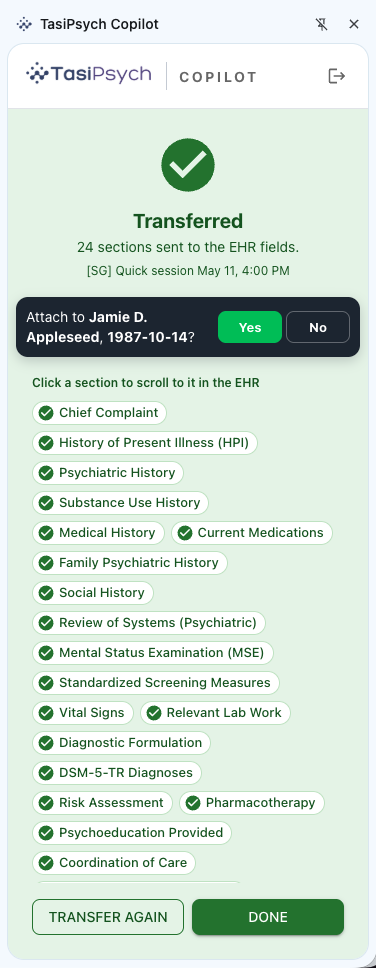
Review the note generated by TasiPsych in the Copilot, click Transfer, and watch each section drop into the matching EHR field with a green confirmation. No copy/paste, no clean-up.

See it in the setup guide
Successful transfer of a finalized note into a web-based EHR with green confirmations per section
How it works

From install to first transfer in under five minutes

01

Install & pin

Add the Copilot from the Chrome Web Store and pin it to your toolbar.

02

Authenticate Securely

Authenticate the Copilot with your TasiPsych account.

03

Capture a session

Open the side panel, start the session, and end it when you’re done. The note processes in the background.

04

One-click transfer

Review the finalized note, click Transfer, and every section lands in the matching EHR field.

Security & Privacy

Built for behavioral health, compliant by design

The Copilot inherits every protection of your TasiPsych account: HIPAA compliance, BAA included, end-to-end encryption, PII redaction, and audit logging.

🛡️
HIPAA CompliantBAA included
🔐
EncryptedHTTPS/TLS in transit
🔒
Revocable TokensPer device, anytime
📄
Audit LogsEvery sync action
FAQ

Common questions

What is the TasiPsych Copilot?

TasiPsych Copilot is a free Chrome extension for behavioral health clinicians. It captures sessions directly in your browser, transcribes them, generates a finalized clinical note in your TasiPsych account, and lets you transfer the note into any web-based EHR with a single click. No copy/paste, no reformatting, no per-EHR setup.

Which EHRs work with the TasiPsych Copilot Chrome Extension?

The Copilot works with any web-based EHR that uses labeled note fields. For best experience, please ensure that your note template in EHR matches the note template in TasiPsych. You can use the pre-built note templates or use the template builder to create a custom template that matches your EHR note template. The extension reads the page structure and routes each section into the matching field automatically.

Is the Copilot HIPAA compliant?

Yes. The Copilot operates under the same Business Associate Agreement (BAA) and HIPAA protections as your TasiPsych account. Finalized note content moves directly between your authenticated TasiPsych account, your browser, and your EHR through encrypted HTTPS/TLS, with no third-party processors in the data flow.

How much does the TasiPsych Copilot cost?

The Copilot is included with every active TasiPsych clinician account at no additional cost. New clinicians can start a 10-day free trial of TasiPsych to use the Copilot end-to-end with no credit card required.

How do I install the TasiPsych Copilot Chrome Extension?

Install the extension from the Chrome Web Store, pin it to your browser toolbar, and authenticate securely using your TasiPsych account. The full step-by-step setup (with screenshots) is on our Getting Started guide.

Can I revoke the Copilot’s access to my account?

Yes. You can revoke a device token at any time from your TasiPsych Profile → Chrome Extension Settings. Revocation is immediate. Uninstalling the extension also removes the locally stored token.

What browsers does the Copilot support?

The TasiPsych Copilot runs as a Chrome extension and is compatible with Google Chrome and other Chromium-based browsers that support the Chrome extension and side panel APIs.

Install the TasiPsych Copilot today.

Free with every TasiPsych account. Set up in under five minutes. Cut documentation time on every visit, capture every billable minute with confidence-scored CPT, ICD-10-CM, and DSM-5-TR coding, and reduce denials with 42+ audit rules baked into every note.

No credit card required · Getting started guide · See pricing